If your LinkedIn profile still reads like a job seeker resume, it is probably making freelancing harder than it needs to be.
Freelancer profiles that get replies usually do one thing well: they explain the value clearly. They do not just list skills. They make it obvious who the person helps, what kind of result they deliver, and what the next step should be.
I have already shared how I got traction from LinkedIn posts as a freelancer. This article goes one level deeper and shows you how to set up the profile itself so the right people actually take you seriously.
What a good LinkedIn freelancer profile should do
Your profile does not need to look fancy.
It needs to answer these questions quickly:
- Who do you help?
- What service do you offer?
- What outcome do you create?
- Why should someone trust you enough to message you?
That is the real job of the page.
A beginner-friendly LinkedIn freelancer profile example
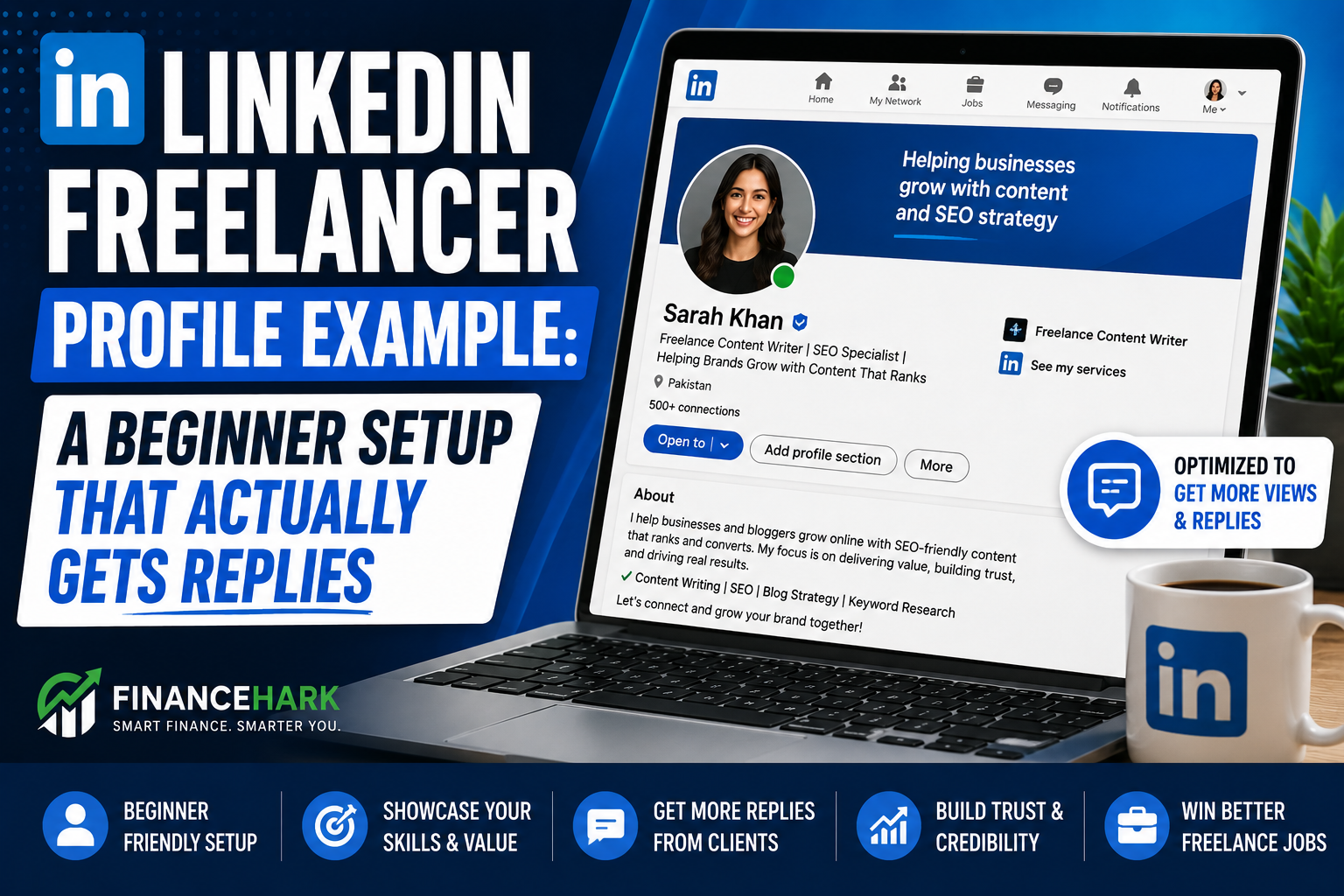
Here is the kind of structure I would use if I were starting today as a content freelancer.
Headline example
Freelance Content Writer for Coaches and Small Brands | Blog Posts, LinkedIn Content, and Repurposing Support
Why it works:
- it leads with the service
- it mentions the audience
- it includes keywords naturally
Banner idea
Keep it simple:
Helping creators and small brands turn ideas into clear content
Small CTA:
Open to freelance projects
About section example
I help coaches, creators, and small brands turn rough ideas into publishable content.
My work is best for people who know they should be showing up online but do not want to spend hours turning every idea into a finished post, blog article, or repurposed asset.
I can help with:
- blog posts
- LinkedIn posts
- content repurposing
- outlines and content planning
I like building simple workflows, keeping communication clear, and creating content that sounds useful instead of overcomplicated.
If you need support turning your ideas into content that is easier to publish consistently, feel free to message me.
The four profile sections beginners should fix first
1. Your headline
This is not the place for “Aspiring entrepreneur” or “Helping businesses grow.”
That sounds broad and forgettable.
A stronger format:
[Freelance role] for [audience] | [service 1], [service 2], [service 3]
Examples:
- Freelance Pinterest Assistant for Bloggers | Pin Titles, Descriptions, and Workflow Support
- Short-Form Video Editor for Creators | Reels, Shorts, and Repurposed Clips
- Virtual Assistant for Coaches | Research, Admin Support, and Content Scheduling
2. Your About section
This should sound like a service page, not a biography.
Bad:
I am passionate, motivated, and always eager to learn.
Better:
I help small brands turn rough ideas into blog posts, LinkedIn content, and reusable content assets.
You are not trying to impress everyone. You are trying to look clear to the right person.
3. Your Featured section
This section matters more than many beginners realize.
Use it to pin:
- a sample portfolio
- a case study
- a Google Doc with sample work
- a simple services page
If you do not have client work yet, create sample assets. That is still better than leaving the section empty.
If you need help assembling those samples fast, this article on creating a freelance portfolio with AI is the one I would point you to next.
4. Your profile photo and banner
Do not overcomplicate this.
Use:
- a clear headshot
- decent lighting
- uncluttered background
And for the banner:
- service
- audience
- simple CTA
That is enough.
A second LinkedIn freelancer profile example for a VA
Headline
Virtual Assistant for Busy Founders | Inbox Cleanup, Research, and Admin Support
About
I help busy founders stay organized by handling repeatable admin work that drains time and attention.
I can support inbox cleanup, research, data entry, basic scheduling, and process follow-through. I like organized systems, clear communication, and work that helps a business run more smoothly behind the scenes.
If you need dependable support for admin tasks, feel free to message me.
A third example for content repurposing
Headline
Content Repurposing Freelancer for Creators | Blog to LinkedIn, Email, and Short-Form Content
About
I help creators get more value from one strong idea instead of constantly starting from zero.
I can turn blog posts, long captions, videos, or podcasts into smaller content assets for LinkedIn, email, and short-form platforms. My goal is to help you publish more consistently without creating more content from scratch every day.
If that sounds useful, I would be happy to talk through your workflow.
What to post on LinkedIn once your profile is cleaned up
A better profile helps, but it works much better when paired with consistent posting.
Start simple:
- share one lesson from a recent project
- break down one mistake beginners make
- show how you think through a client problem
- share a small before-and-after example
If you want help with that side of the platform, I already wrote How to Create LinkedIn Posts That Actually Get Engagement.
Beginner mistakes that make a freelancer profile weaker
1. Sounding like a generalist with no offer
If your profile makes you sound like you can do anything, it often makes you look like you do nothing especially well.
2. Talking only about yourself
Profiles that get replies connect your skills to a client result.
3. Leaving Featured empty
This is a missed trust signal.
4. Using jargon instead of plain English
Simple wording converts better than bloated language.
5. Skipping a CTA
Tell people what to do next. Message you. Review a sample. Book a call. Something.
Should you use AI to help write your LinkedIn profile?
Yes, but with a warning.
If your current draft is rough, GravityWrite can help tighten your wording and generate headline variations. But you still need to edit the output so it sounds like a real freelancer, not a robot trying too hard.
Keep the final copy grounded in work you can actually deliver.
Final thoughts
The best LinkedIn freelancer profile example is not the one with the most buzzwords.
It is the one that makes a potential client think:
I understand what this person does, and I can picture where they might help me.
That clarity is what gets replies.
FAQ
What should a freelancer put on LinkedIn?
A freelancer should clearly state their service, ideal client, main outcomes, proof of work, and a simple next step for contact.
How do I make my LinkedIn profile look more freelance-friendly?
Rewrite it around your offer instead of your career history, and use the headline, About section, and Featured section to show client relevance.
Can beginners get clients through LinkedIn?
Yes. A clear profile plus consistent posting can create opportunities even before you have a huge audience.
What is the best LinkedIn headline for freelancers?
The best LinkedIn headline for freelancers usually includes role, audience, and core service in plain language.
FinanceHark Product
Get the full system behind clearer offers and stronger launches.
The FinanceHark Online Income System bundles the templates, scripts, prompts, and launch assets that make digital offers easier to build and sell.
- Templates, prompts, scripts, and workbook tools
- Instant access after successful payment
- Built for freelancers, creators, and digital sellers
Why this article is easier to trust
FinanceHark focuses on practical guides, transparent recommendations, and updates that make articles easier to use in the real world.
- Read how content is researched and updated in our Editorial Policy.
- See how affiliate relationships are disclosed on our Disclosure page.
- Use Start Here if you want a quicker route into the rest of the site.
Related reading